
Today we just noticed a new feature on top of the Google AdWords dashboard – Draft. ( see below)

Initially I noticed these few points about this.
- This is not available for all the AdWords account. I checked with other accounts and it was not available.
- It will only visible if we open any campaign and not on “all campaign”
- It’s easy to understand and set the experiment.
- We can set up an experiment in adgroup, ads, and keywords level. There may be more and I still need to experiment with this feature.
- You can save all experiments as a draft and you can apply them later.
- So, you can run multiple experiments at the same time for a campaign
- Navigation is easy to find all the draft and running experiments.
- The interesting thing I found is that it creates a completely different campaign where you can manage it like the current campaign.
- And unlike the old Campaign experiment, It doesn’t change the status icon. Instead, it shows a new text – Experiment running View.
- Check the below images to understand it better.
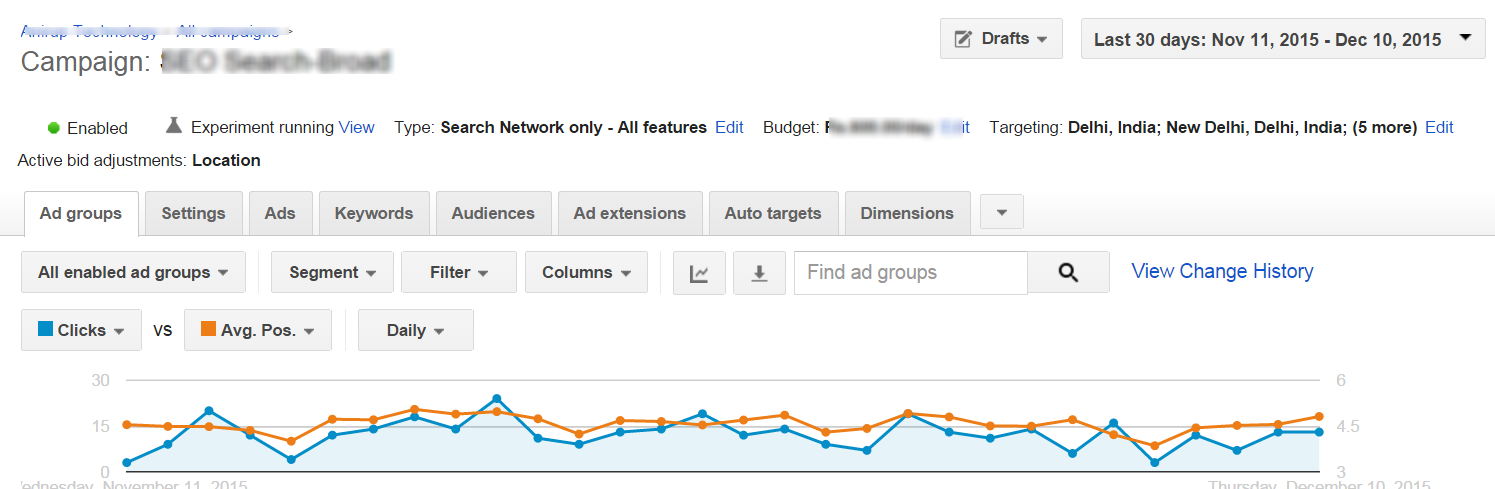
Campaign with new experiment running

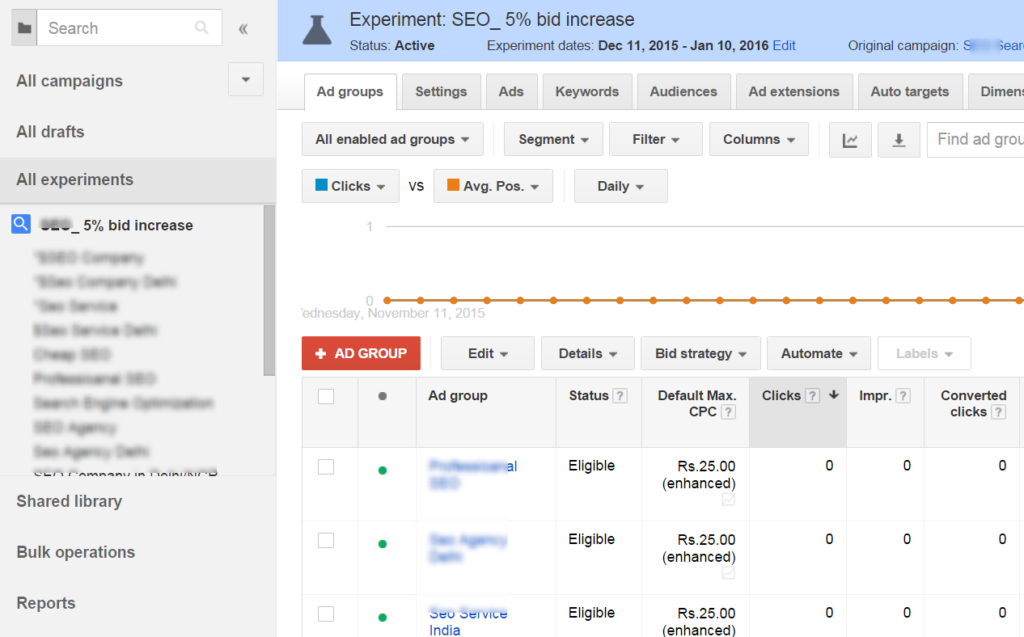
ITS INTERESTING…

Anil Singh is the Founder of Anirup Technologies LLP and a performance marketing strategist with over a decade of hands-on experience in Google Ads, PPC management, SEO and lead generation. He helps businesses build search-focused marketing systems that improve visibility, attract qualified leads and support measurable growth.
With strong expertise in Google Ads, Meta Ads, conversion tracking, landing pages and WordPress-based SEO, Anil focuses on practical strategies that connect marketing spend with real business outcomes. His work is especially focused on helping businesses use paid search and performance marketing with better structure, clearer reporting and stronger ROI accountability.