
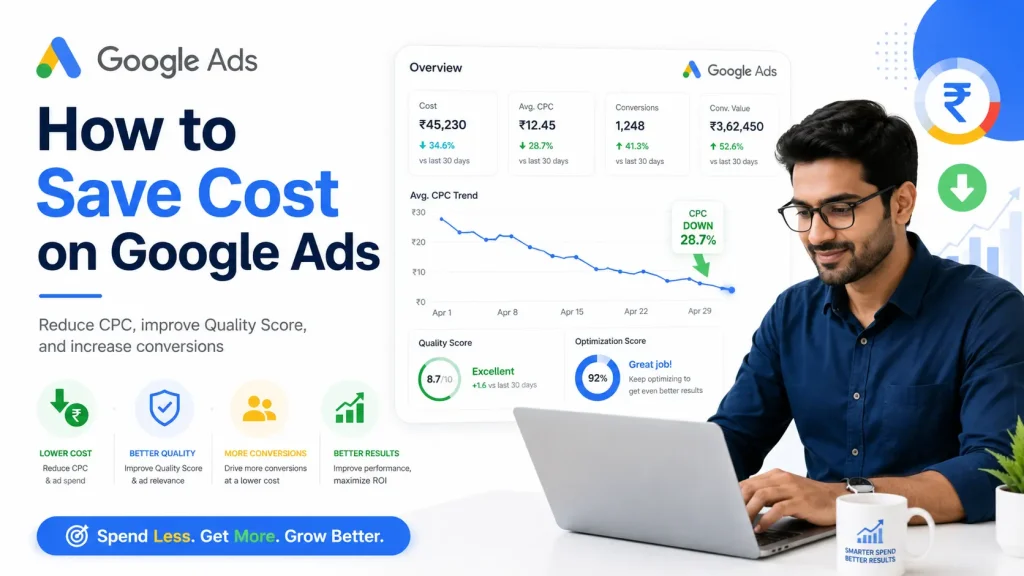
Google Ads is becoming more costly because competition is increasing in almost every industry. Many businesses are now paying 3x or 4x higher cost per click compared to a few years ago.
The problem is not only high CPC. Many advertisers are also getting fewer leads, lower conversion rates, and poor-quality inquiries.
To save cost on Google Ads, you need to work on two main areas:
- Reduce your cost per click.
- Improve your conversion rate.
1. Understand How Google Decides CPC
CPC means cost per click. It is the amount you pay when someone clicks on your Google ad.
Your CPC mainly depends on:
- Market competition.
- Keyword bidding.
- Quality Score.
- Ad relevance.
- Landing page experience.
- Expected click-through rate.
You cannot control how much your competitors are bidding. If someone is bidding ₹100 or ₹200 per click, you cannot ask them to reduce their bid.
But you can improve your own Google Ads account. This is where cost saving starts.
2. Improve Your Quality Score
Quality Score is one of the most important factors in Google Ads. It is a score from 1 to 10 that shows how relevant your keywords, ads, and landing page are.
A better Quality Score can help you get:
- Lower CPC.
- Better ad position.
- More clicks in the same budget.
- Better return on ad spend.
Quality Score depends on three main factors:
- Expected CTR: How likely people are to click your ad.
- Ad relevance: How closely your ad matches the keyword.
- Landing page experience: How useful and relevant your landing page is.
To improve Quality Score:
- Use highly relevant keywords.
- Write ads matching the search intent.
- Create separate ad groups for different topics.
- Use strong ad headlines and descriptions.
- Add relevant sitelinks, callouts, and other assets.
- Improve landing page speed and content.
- Use negative keywords to stop waste.
3. Use Negative Keywords Properly
Negative keywords help you stop your ads from showing on irrelevant searches.
For example, if you sell paid services, you may want to block words like:
- Free.
- Job.
- Training.
- PDF.
- Course.
This depends on your business type.
Regularly checking the search term report can help you find wasteful searches and reduce unnecessary clicks.
4. Improve Your Landing Page
If your landing page is weak, you will pay for clicks but get fewer leads.
Your landing page should clearly explain:
- What you offer.
- Who it is for.
- Why people should trust you.
- What action they should take.
To improve landing page performance:
- Match the page content with your ad and keyword.
- Use a clear headline.
- Add trust signals like reviews, client logos, and case studies.
- Keep the form short.
- Add call, WhatsApp, and inquiry options.
- Make the page fast and mobile-friendly.
5. Improve Conversion Rate
Conversion rate means how many visitors become leads or customers.
For example, if 100 people visit your website and 5 people contact you, your conversion rate is 5%.
If you improve the conversion rate from 5% to 10%, you can get double leads from the same ad spend.
To improve conversion rate:
- Use better landing pages.
- Target the right audience.
- Choose high-intent keywords.
- Write clear ad copy.
- Show strong offers and benefits.
- Make the contact process simple.
This is why conversion rate optimization is very important in Google Ads.
6. Focus on Lead Quality, Not Only Lead Cost
Many businesses try to reduce cost per lead, but they forget lead quality.
Cheap leads are not always good leads.
You should track:
- Cost per lead.
- Lead quality.
- Conversion from lead to customer.
- Actual sales generated from Google Ads.
This helps you understand whether your campaign is actually profitable or only generating low-quality inquiries.
7. Review Your Campaign Regularly
Google Ads needs regular optimization. You cannot set it once and ignore it.
Review these things regularly:
- Search terms.
- Keyword performance.
- Ad performance.
- Landing page conversion rate.
- Device performance.
- Location performance.
- Time and day performance.
Small improvements in all these areas can help you save a good amount of money over time.
Conclusion
To save cost on Google Ads, you should not only focus on lowering CPC.
You should also improve Quality Score, use negative keywords, make better landing pages, and increase conversion rate.
When your ads, keywords, and landing page work together, you can get better results from the same budget.
FAQs on Saving Cost on Google Ads
How can I reduce my Google Ads cost?
- Improve Quality Score.
- Use negative keywords.
- Target high-intent keywords.
- Improve landing page conversion rate.
- Remove wasteful searches and poor-performing keywords.
Why is my Google Ads CPC increasing?
- Competition may be increasing.
- Your Quality Score may be low.
- Your keywords may be too broad.
- Your landing page may not be relevant.
- Your ads may have low CTR.
Does Quality Score reduce CPC?
- Yes, a better Quality Score can help reduce CPC.
- It can also improve your ad position.
- Google rewards relevant ads and landing pages.
What is the best way to save money on Google Ads?
- The best way is to reduce wasted clicks and improve conversion rate.
- This gives you more leads or sales from the same budget.
Why am I getting clicks but no leads?
- Your landing page may not be converting.
- Your keywords may be attracting the wrong audience.
- Your offer may not be clear.
- Your form or contact process may be difficult.
Should I reduce my Google Ads budget to save cost?
- Not always.
- First check where the budget is being wasted.
- Then improve targeting, keywords, ads, and landing page.

Anil Singh is the Founder of Anirup Technologies LLP and a performance marketing strategist with over a decade of hands-on experience in Google Ads, PPC management, SEO and lead generation. He helps businesses build search-focused marketing systems that improve visibility, attract qualified leads and support measurable growth.
With strong expertise in Google Ads, Meta Ads, conversion tracking, landing pages and WordPress-based SEO, Anil focuses on practical strategies that connect marketing spend with real business outcomes. His work is especially focused on helping businesses use paid search and performance marketing with better structure, clearer reporting and stronger ROI accountability.