
Whenever we sit down to talk about Google Ads with our clients or fellow business owners, one thing always pops into mind first: Keywords.
And honestly? There’s a solid reason for that. Your entire Google Ads campaign rests on the words your customers type into that search bar. If you get those words right, you win. If you get them wrong? Well, let’s just say your bank account starts bleeding money for no reason.
Today, we’re going to break down why keywords are the king of your Google Ads Keyword Research Campaign, why most businesses fail at this, and the one free tool inside Google Ads that solves all your problems, without spending ₹10,000 on fancy software. Let’s dive in.
The Golden Rule of Google Ads: Right Keyword = Right Customer
Let me paint you a picture. You own a business. You sell something specific, maybe it’s “Laptop Repair” or “India Tour Packages.” Your customer is sitting at home, typing their problem into Google.
If you show your ad to the right person at the right time, they click, they buy, you make money.
But here is the tragedy of Indian digital marketing: Most business owners pick the wrong keywords. They guess what their customer wants. Or worse, they pick the cheapest keywords.
When your keyword is wrong, Google shows your ad to the wrong audience. These people click on your ad, look at your page for two seconds, say “Yeh toh meri problem nahi hai,” and leave.
Result? You just paid ₹50 for a click that will never, ever convert into a sale. Over a month, that’s thousands of rupees down the drain.
This is the single biggest reason why so many businesses say “Google Ads doesn’t work for me.” Trust me, Google Ads works. Your keywords are just broken.
The “Old School” Ways to Find Keywords (And Their Limits)
Before we jump into the pro solution, let’s look at how most people try to do keyword research. These methods are not “bad,” but they are very limited.
1. The “Brainstorming” Method
You sit down and think, “If I were my customer, what would I search?” This is a great starting point. You know your business better than anyone. You can probably list 50-100 keywords easily. But is that enough? Probably not. Your customers are creative. They search for things you’ve never even imagined.
2. The Google Search Bar Method
Go to Google. Type in a keyword. See what Google suggests in the dropdown. This is smart because Google shows you what real people are searching for. You can scroll to the bottom of the search page and see the “Related Searches” section.
But here is the catch: This method only gives you 10-20 suggestions. What about the other 2,000 ways people are finding your competitors? You are missing 99% of the data.
The Ultimate Free Weapon: Google Keyword Planner
If you are running Google Ads (or even planning to), you already have the most powerful keyword research tool on the planet. And it is completely free inside your Google Ads account.
Many people ignore this tool because they think it’s “basic” or “only for big budgets.” That is a myth. Let me show you why this is the best tool in the market.
How to Access It
Simply log in to your Google Ads account. In the top menu, go to “Tools & Settings” > Under “Planning,” click on “Keyword Planner.”
Once you open it, you will see two beautiful options:
- Discover new keywords: Use this when you need fresh ideas.
- Get search volume and forecasts: Use this when you already have a list of keywords and want to check their performance.
What Data Does It Show? (The Real Gold)
Let’s say you have a travel business. You type in “India tour packages” into the Keyword Planner.
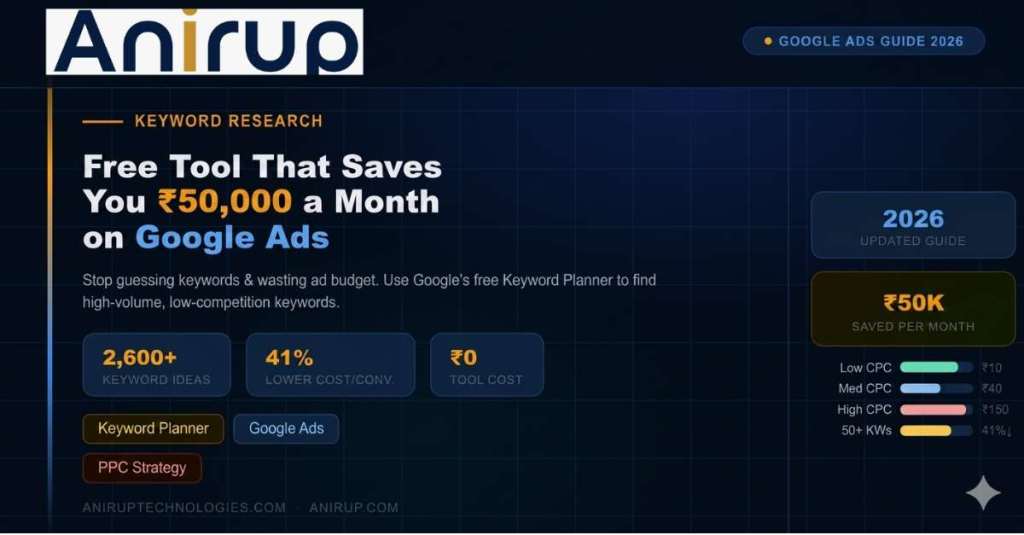
Look at the magic that happens. Google doesn’t just give you one keyword. It gives you thousands of related keywords. We are talking 2,600+ keyword ideas instantly.
For every keyword, the planner shows you:
- Average Monthly Searches: Exactly how many people (on average) search for that term every month. No guessing.
- Competition: Tells you if the keyword is crowded (High, Medium, or Low). If you have a new business, you might want to avoid the “High” competition ones initially.
- Top of page bid (Low range & High range): This is the CPC (Cost Per Click). It shows you a realistic estimate of how much you might pay. It tells you, “Bhai, if you want to be at the top for this keyword, this is the price range.”
Why Keyword Planner Beats Expensive Tools
Let me give you a real example. Suppose you type “Best budget laptop under 50000” into the Keyword Planner. Within seconds, you will see related keywords like:
- “Laptop for students under 50000”
- “Gaming laptop under 50000”
- “Slim laptop under 50000”
You could not have thought of all these variations on your own, right? This tool reads Google’s actual search history. It knows what people are typing right now.
And the best part? You can export it. Once you find the good keywords (high volume, reasonable CPC, low competition), you just click “Download.” You now have an Excel sheet with 2,000+ keywords ready to be added to your ad groups.
If you tried to buy this data from a third-party tool, you would pay a monthly subscription. With Google Keyword Planner, you pay nothing extra. It is built for advertisers.
How to Start Your Keyword Research Today
If you are a business owner in India, whether you sell shoes, run a coaching institute, or offer plumbing services, here is your action plan for this week:
- Brainstorm your “Seed” keywords: Start with 5-10 basic terms related to your business (e.g., “Digital marketing course,” “SEO services,” “Website designer”).
- Open Google Keyword Planner: Go to the “Discover new keywords” tab.
- Enter your seed keywords: Type them in and hit “Get results.”
- Filter the noise: Look at the suggested list. Ignore keywords that are too broad (e.g., just “shoes” instead of “buy running shoes online”). Look for keywords with “Medium” or “Low” competition if you have a tight budget.
- Download and Implement: Add these keywords to your Google Ads campaign.
A Pro Tip from Anirup Technologies: Don’t just add all 2,600 keywords into one single Ad Group. Group them by theme. For example, keep all “Buy laptop” keywords in one group, and all “Laptop repair” keywords in a separate group. Your Quality Score will thank you.
Final Thoughts
Stop wasting money on the wrong audience. Stop guessing what your customer wants. The data is right there inside your Google Ads account. Google Ads Keyword Research is not a one-time job. It is the foundation of your entire campaign. And with the Google Keyword Planner, you have no excuse to do it wrong.
So, go ahead. Open your account. Search for your keywords. Find those hidden gems that your competitors are ignoring. Follow Anirup Technologies for more practical digital marketing guides. We don’t just teach theory; we show you what works on the ground. Thank you. Keep growing.
FAQS (Frequently Asked Questions)
1. Is Google Keyword Planner really free?
Yes, it is completely free. You just need a Google Ads services (you don’t have to run active ads to use it). Unlike paid tools that cost ₹8,000–₹16,000/month, Keyword Planner gives you real Google search data at no cost.
2. Why does Google show no data for some keywords like “laptop repair”?
Google has strict policies for certain business categories (medical, adult, and some tech support services). If your keyword gets removed or shows zero volume, it means Google doesn’t allow ads for that term – not that the tool is broken.
3. How many keywords should I target in my first campaign?
Start with 50–100 well-researched keywords across 5–7 themed ad groups. According to our data, accounts using at least 50 keywords see 41% lower cost per conversion compared to those using fewer than 20 keywords.
4. What’s the difference between “high” and “low” competition keywords?
High competition means many advertisers are bidding on that keyword – expect higher CPC (₹50–₹150). Low competition keywords are cheaper (₹10–₹40) and perfect for small budgets. Start with low or medium-competition keywords to save money.
5. Can I use Keyword Planner if my business is local (e.g., a salon in Pune)?
Absolutely. Just add your location (e.g., “salon in Pune” or “haircut near me”) as a seed keyword. The tool will show you location-specific search volumes and CPC estimates for your city.

Anirup is a performance marketing specialist and the publishing author behind Anirup.com, known for sharing practical, data-driven insights on Google Ads, PPC, and SEO. With a strong focus on building high-converting campaigns, Anirup specializes in lead generation strategies, keyword targeting, and conversion optimization. Backed by real campaign experience and a results-first approach, the content published under this profile is designed to help businesses, marketers, and advertisers scale efficiently through proven digital marketing strategies.